Every job, by person
Your schedule has a column for each Service Pro and one for jobs nobody has yet. Drag a card to assign it, or pick a name on the card from your phone.
Schedule
Jobs Ava books land on your schedule. Drag a job to a Service Pro or take Ava's pick, see the day by the hour or on a map, and open directions to the next stop with one tap.
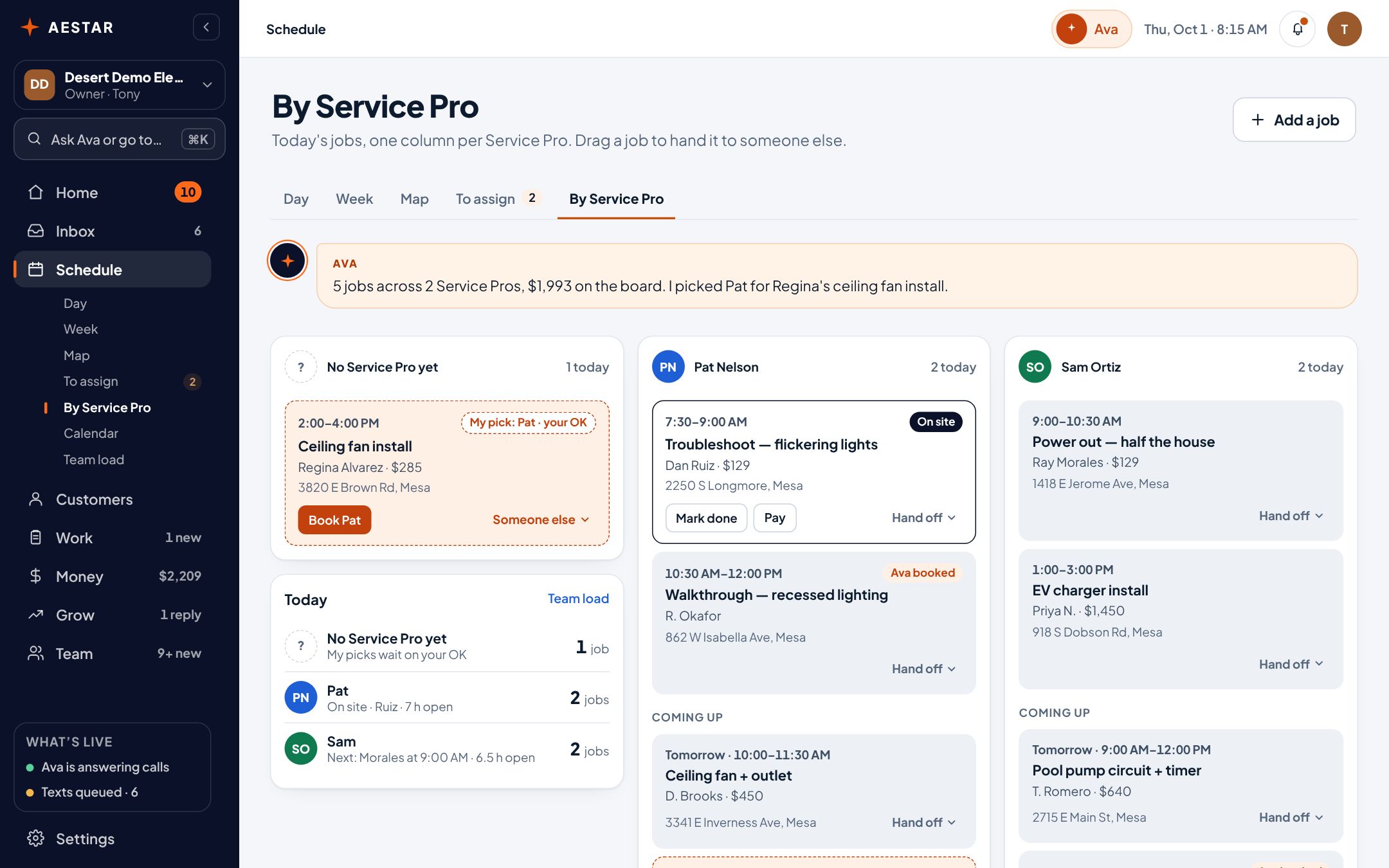
Desert Demo Electric is a sample shop in the real Aestar app.
When someone's free for a job nobody has, Ava lines it up with the reason — Pat is free at 2:00 PM — and you confirm with one tap.

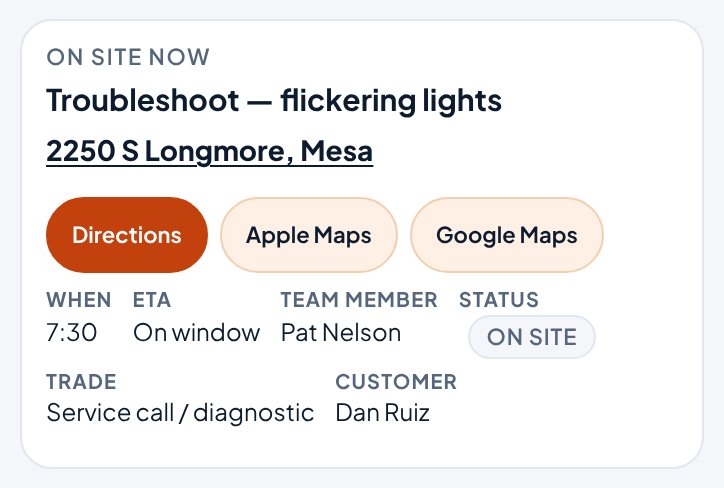
Every job opens Apple Maps or Google Maps with the address filled in, from the computer or the phone.
See who's booked when, and drag a job to a new time. The map puts a pin on every job address, so you can see where the day goes.

See how full each Service Pro's day is, where the gaps are, and which jobs still need a time.
Team load today
Example shopBoth have hours open. Drag a job to either one, or to a new hour.
Your schedule has a column for each Service Pro and one for jobs nobody has yet. Drag a card to assign it, or pick a name on the card from your phone.
A live map of who's where, from each Service Pro's own phone, only while they're on the clock. Ava uses it: she picks the closest one for an urgent call for you to send, and drafts the text when someone's running late for you to queue.
Connect Google Calendar and Ava only offers callers times you're free, and the jobs she books are added to it. Changes you make in Aestar stay in Aestar for now.
Gate codes and shop notes stay inside the shop. Customers only see what you choose to share.
Compare
| What it does | Aestar | Whiteboard | Shared calendar |
|---|---|---|---|
| Every job by person, at a glance | Yes | Yes | If you color-code it |
| Change it from your phone | Yes | No | Yes |
| Jobs from calls land on it | Yes | No | No |
| Suggests who takes an open job | Yes | No | No |
| Directions to the next stop | One tap | No | Copy the address |
| Each Service Pro sees their own day | Their own app link | If they're at the shop | Yes |
| What it costs | Included in the $299 plan | A one-time cost | Often free |
Live today
We only call something live when it works end to end. Everything else says where it stands.
Questions
Yes. The Aestar app works in any phone browser and you can add it to your home screen.
No. She checks your schedule, and your Google Calendar if it's connected, before she offers a time, and only confirms once the booking has saved.
Not the trucks. Each Service Pro's phone shares where they are, only while they're clocked in and their Aestar app is open, and they can see when it's on. Only you see it. Clocking out stops it, and positions are deleted at clock-out or after 24 hours.
It shows up in their own app the next time they open it. Aestar doesn't text them about it yet, so if it's urgent, tell them the way you do now.
We estimate about 10 minutes of your time. Setup on Starter is free, and going live starts a 30-day free trial.
More in Aestar