Find anyone fast
Search by name, phone or address, or filter in plain words, like “has jobs” or “this week”.
Customers
A customer record starts the first time someone calls. Their calls, jobs, estimates and invoices all land on it, with directions one tap away. Each customer also gets a private page to see their visits, approve estimates and check what they owe.
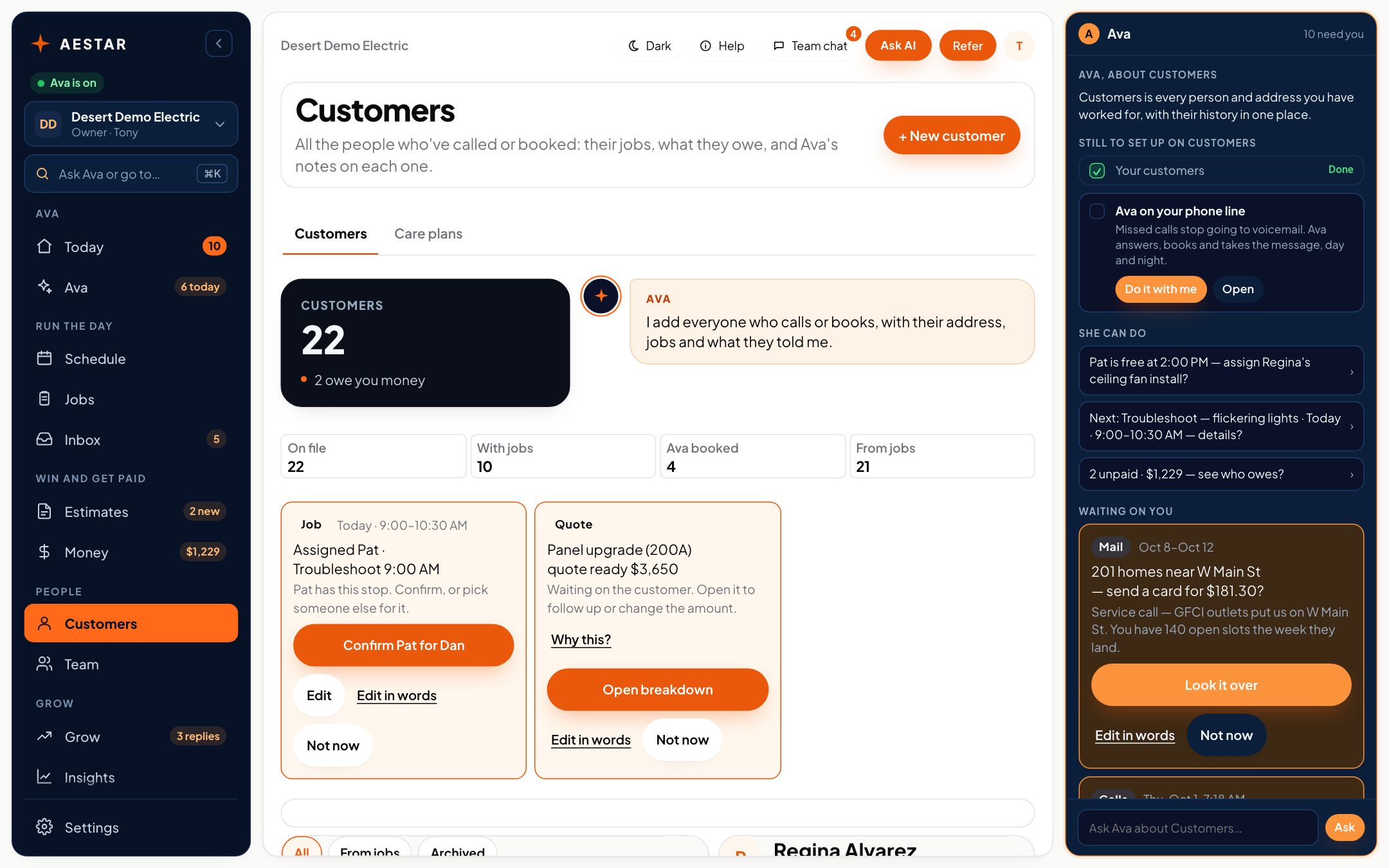
Desert Demo Electric is a sample shop in the real Aestar app.
Regina called and Ava booked her ceiling fan install. Her record already has the call, the job and the invoice, and her address is one tap from directions.
Copy a customer's link and send it. They see their upcoming visits, approve or decline estimates and see their invoices. No account, no password, no app.
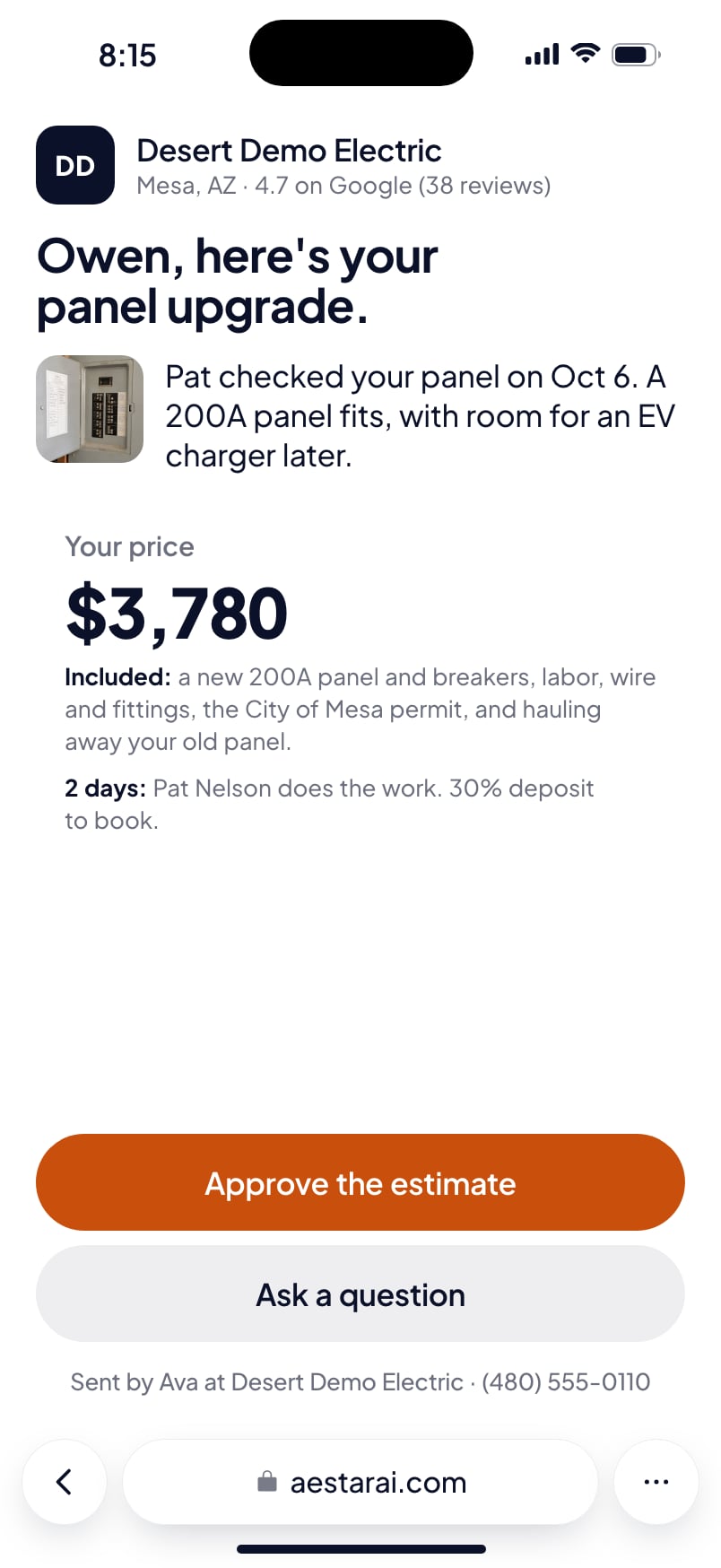
Customers pay by card right on this page.
Search by name, phone or address, or filter in plain words, like “has jobs” or “this week”.
Gate codes, the dog, where the shutoff is: notes stay on your side. Customers only see what you share.
Live today
We only call something live when it works end to end. Everything else says where it stands.
Questions
Their upcoming visits, their estimates with Approve and Decline, and their invoices. Never your notes, your margins or anyone else's jobs.
No account, no password, no app. The link is theirs, and it expires.
We estimate about 10 minutes of your time. Setup is free until November 1, and going live starts a 30-day free trial.
More in Aestar