Cash and checks at the truck
Mark an invoice paid by cash or check before you pull away, so the balance is right the moment you leave.
Invoices & payments
Pick a finished job and the invoice fills in from its price and your price book. Record cash and checks on the spot, and share each customer's own page, where they can see what they owe.
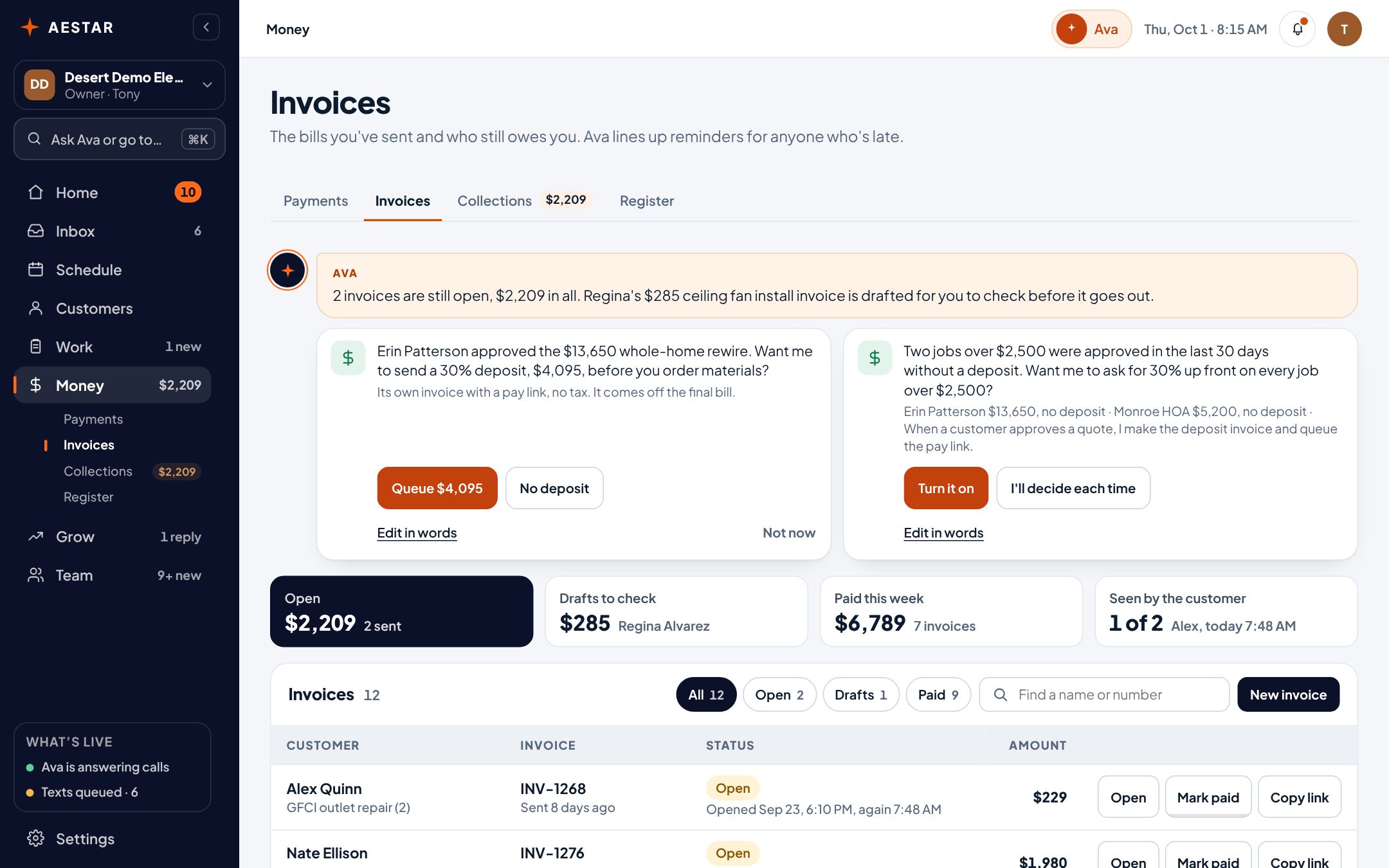
Desert Demo Electric is a sample shop in the real Aestar app. Each invoice has a pay link: customers pay by card once your shop connects Stripe.
Line items come from the job and your price book. Adjust, add a note, done. A draft stays a draft until you send it.

Mark an invoice paid by cash or check and it comes off your who-owes list. Customers can also pay by card from the invoice's pay link.
Mark paid
Example shopYou record what the customer paid you. No card is charged.
Copy a customer's link and send it: they see their visits, estimates and invoices on a private page. No account, no app.
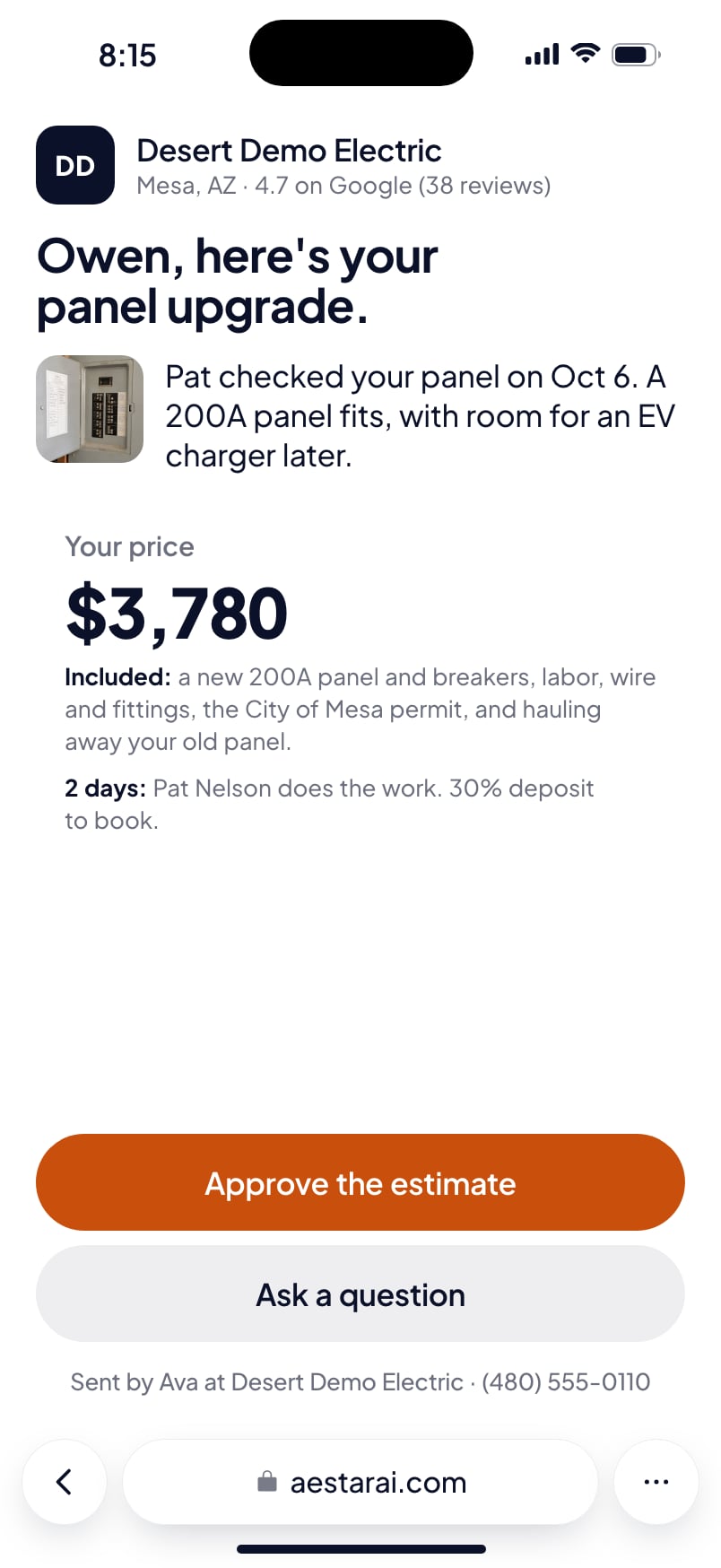
Customers pay by card right on this page.
Mark an invoice paid by cash or check before you pull away, so the balance is right the moment you leave.
Card payments run through Stripe at Stripe's standard rates. Aestar doesn't add a percentage on top.
Live today
We only call something live when it works end to end. Everything else says where it stands.
Questions
Yes. Connect Stripe once from Payments (Ava walks you through it) and every invoice gets a pay link. Customers pay by card, the money goes to your bank, and you can still record cash and checks.
No. You pay Stripe's standard processing rate and nothing extra to Aestar.
Yes. The Aestar app works in any phone browser, so you can write the invoice and record the check before you leave the driveway.
In Collections: every unpaid invoice, oldest first, with reminders Ava writes for you to approve.
We estimate about 10 minutes of your time. Setup on Starter is free, and going live starts a 30-day free trial.
More in Aestar