How it works
From sign-up to Ava answering your phone.
You don’t set this up. Ava does. She reads your website and fills in your shop for you to check. We estimate about 10 minutes of your time, start to finish: about 2 minutes to sign up, 5 to check what Ava filled in and 3 to go live. You don’t change your number, your carrier or the way your customers reach you.
Ava keeps the list of what's left.
Example shopUntil Ava is answering your line, Get Ava live on Today is the one list of what's still to do. Each step is ticked from your shop's own records.
- Check what Ava foundDone
- Bring in your scheduleDo it with Ava
- Hear Ava answerDo it with Ava
- Confirm your first bookingDo it with Ava
- Send your calls to AvaDo it with Ava
Five steps
We estimate about 10 minutes of your time.
1. Create your account
About 2 minutesYour name, email and your shop. No card to set up.
2. Check what Ava filled in
About 5 minutesGive Ava your website and she reads it for your shop's name, hours, service area and services — with starter prices for your trade where your site doesn't name one. No website? She can find you by name. You check it, change anything that's off, and tell her how to handle after-hours calls.
3. Hear Ava
Any timeCall our demo line at (480) 771-6324 to hear how she sounds, and click around the demo shop to see where calls land.
4. Go live
About 3 minutesWe give Ava her own number, with no charge for it, and walk you through sending her your calls: every call, or only the ones you can't pick up (on a job, on another call or after hours) instead of voicemail. Going live starts your 30-day free trial with a card on file and your first 100 answered minutes free; $89 a month starts on day 31 unless you cancel.
5. Run the day
Every dayCalls, jobs, estimates and invoices in the Aestar app, on your phone or computer.
On every call
What Ava does when the phone rings.
- Step 1
Greets with your shop's name
“Thanks for calling [your shop]. This is Ava, the shop's AI assistant, and calls may be recorded.”
- Step 2
Checks for danger first
Gas or burning smells, smoke, sparks, CO alarms or anyone hurt: “Please hang up and call 911 right now.”
- Step 3
Understands what they need
The problem, the address, and how urgent it is — by what counts as urgent in your trade.
- Step 4
Books, answers or takes a message
Routine work goes into a real open time. Urgent calls are marked urgent with a callback number. Questions are answered from what you've told her.
- Step 5
Hands you the summary
The call lands in your app with a one-line summary, the transcript and what happens next.
Ava's rules
- Tells every caller she's an AI assistant
- Only quotes prices from your price book, as “starts at”
- Only offers times that are really open
- Never takes card numbers over the phone
- Never says something happened unless it did
- Never promises a callback time you didn't set
Run the day
Then run the day from the app.
Calls, jobs, estimates and invoices, with Ava's picks waiting for a yes. The same app on your computer and your phone.
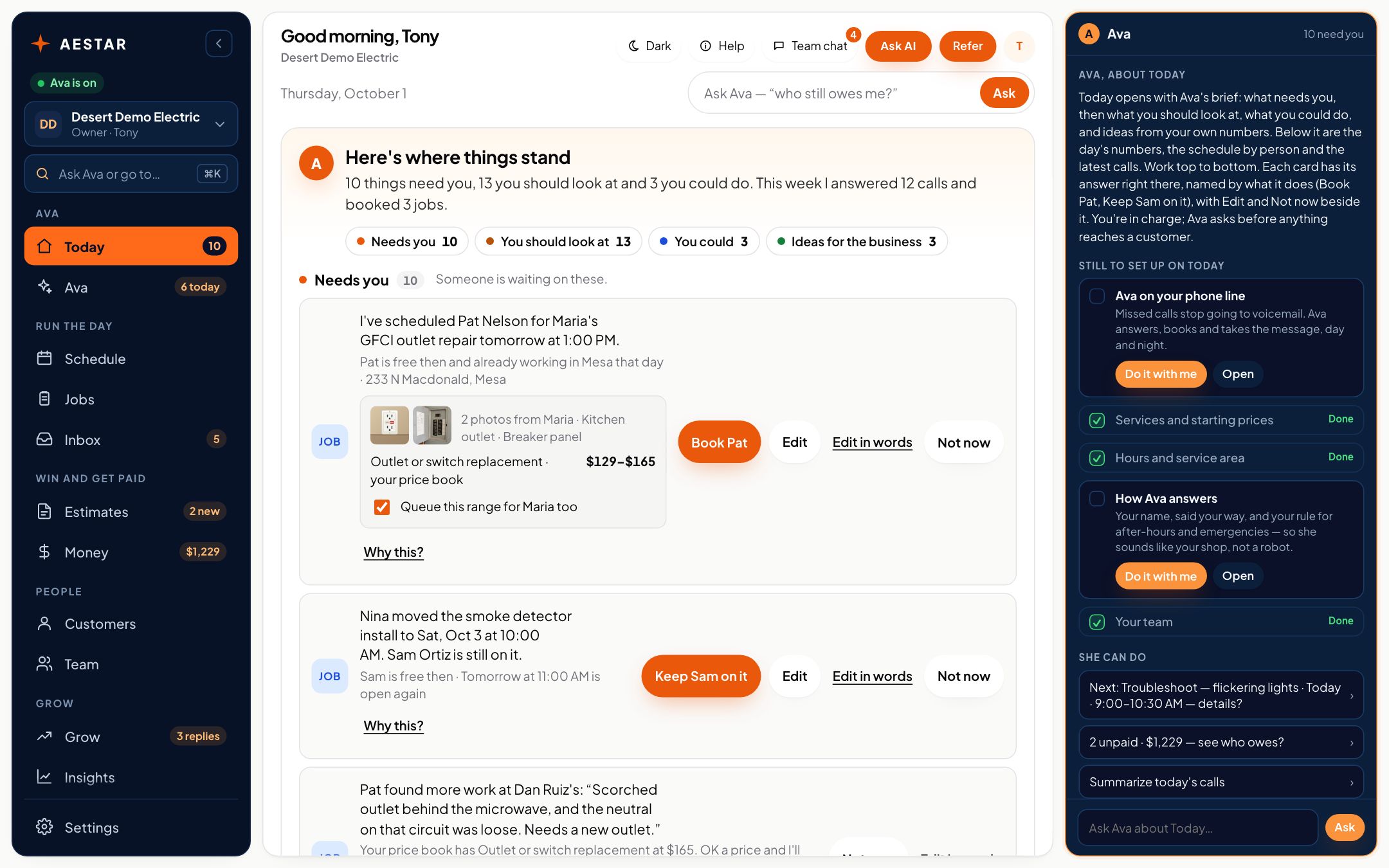
Desert Demo Electric is a sample shop in the real Aestar app.
Questions
Setup questions.
Do I keep my phone number?
Yes. Your number stays yours, and Ava gets her own number, with no charge for it. Send her every call, or only the ones you can't pick up (on a job, on another call or after hours) instead of voicemail. You can change it any time.
Can I choose which calls Ava answers?
Yes. Forward all calls, only calls you don't pick up, or only after hours. Most carriers support all three.
What if I need help setting up?
Ask Ava as you go, on your phone or computer. You can also reach us any time from Contact.
Can I change Ava's answers later?
Yes. Services, prices, hours and your after-hours rules can be changed any time from Settings.
Start with your shop's name.
Create your account in two minutes. Setup is free.